What AI Model Can My Mac Run? A Unified-Memory Guide
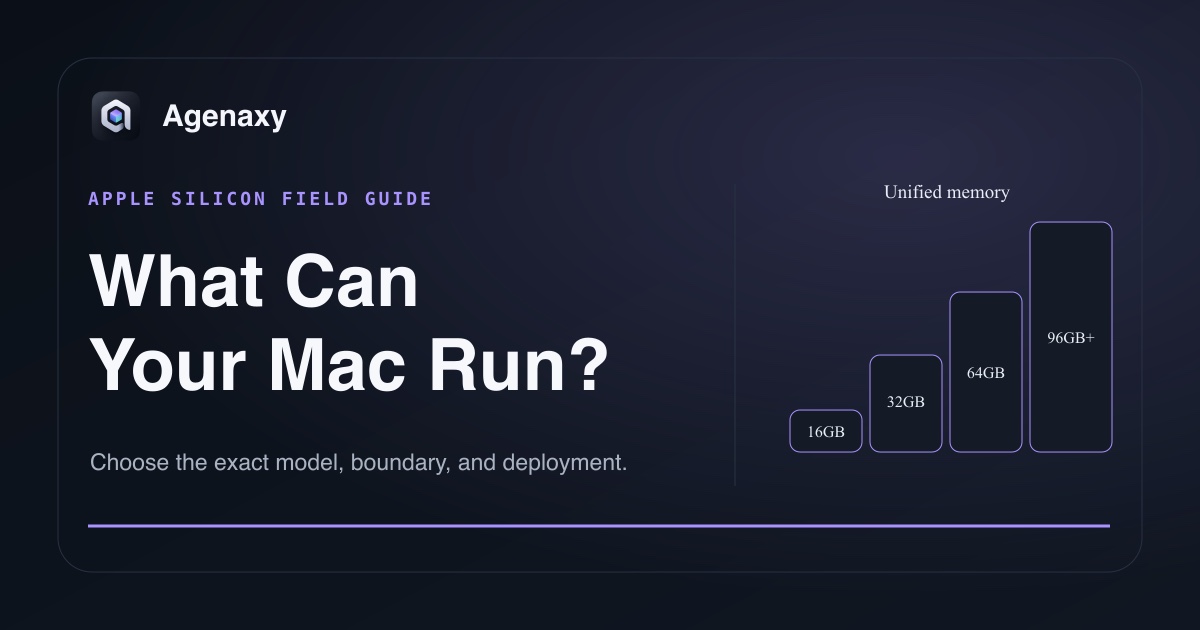
Quick answer: Choose a local model by unified memory, not only by M-chip generation. On an Apple-silicon Mac, 16GB is comfortable for many 3B–8B quantized models; 24–36GB opens practical 14B and selected 20B-class models; 48–64GB is the useful range for many 27B–35B models; 96–128GB can make selected 70B-class 4-bit models possible. Leave substantial headroom for macOS, context cache, and applications.
An 8GB Mac can run small models, but short context and modest expectations matter. Speed and quality still depend on architecture, quantization, memory bandwidth, thermals, runtime, and task.
Why unified memory matters
Apple silicon lets the CPU and GPU use one memory pool. That avoids copying weights between separate system RAM and VRAM, but the model competes with macOS and every open application for the same pool.
The quantized file size is the first capacity check, not the final working set. The official llama.cpp quantization guide gives reference points: an 8B Q4_K_M model can be about 4.9GB and a 70B Q4_K_M model about 43.1GB. Context, KV cache, runtime buffers, vision projectors, and concurrent models add more.
For a stable desktop, do not plan to fill all advertised memory. A llama.cpp Apple-silicon guide recommends staying around or below 70% of total memory for optimal operation. Treat that as a starting heuristic, then watch actual memory pressure.
Check total memory in Apple menu → About This Mac or System Settings → General → About. During a test, open Activity Monitor → Memory to watch memory pressure and swap use.
Mac memory tiers and realistic model bands
These bands assume one 4-bit text model, a modest 4K–8K context, no vision projector, and normal desktop headroom. Long context, vision, or concurrent models require stepping down a band.
| Unified memory | Good starting band | Suitable work | Avoid as a first choice |
|---|---|---|---|
| 8GB | 1B–4B at 4-bit | classification, rewriting, short extraction, learning | large context, vision plus long chat, 8B with heavy multitasking |
| 16GB | 3B–8B at 4-bit | general chat, light coding, document extraction, small local tools | 14B with large context or several apps open |
| 24–36GB | 7B–14B; selected ~20B | stronger drafting, coding, multilingual synthesis | 32B when interactive latency and headroom matter |
| 48–64GB | 14B–35B | repository work, richer synthesis, stronger local agents | treating the whole tier as comfortable for 70B models |
| 96–128GB | 32B comfortably; many 70B-class 4-bit artifacts | demanding local reasoning, long documents, higher context | flagship models with hundreds of billions of stored parameters |
| 192GB+ | 70B with more headroom; selected larger or higher-precision systems | workstation serving, multiple models, larger contexts | treating one Mac as a substitute for any multi-accelerator release |
The bands are planning guidance, not benchmark results. A 32B mixture-of-experts model, a dense 32B model, and a multimodal 32B model can have different storage, compute, and cache behavior.
Choose by task, not the biggest model
Everyday writing and extraction
Start with a 3B–8B instruction model. Use public sample documents and check whether it follows the output format, cites sources, and says “not found” when appropriate. Many 16GB Macs are useful here.
Coding and repository work
Begin around 7B–14B and move up only for measured failures. A larger model may improve planning, but long repository context can dominate memory and prompt time. Retrieval or file selection often matters more than loading everything.
Long-document synthesis
Context length is the hidden capacity cost. A model that fits at 4K or 8K context may create pressure at 64K. Test the real document size, citations, and time to first output. A 24–64GB Mac gives more practical room, depending on model size.
70B-class local inference
A 70B 4-bit artifact can exceed 40GB before cache and overhead. Treat 64GB only as a possible experiment for selected artifacts with short context and tight settings, not a tier-wide recommendation. A 96–128GB Mac is a more credible starting point when the specific runtime supports the model.
Chinese open-weight model examples
Model families provide different local size ladders:
- DeepSeek offers R1 distills from 1.5B through 70B, while V4 and other full releases are server scale.
- Qwen offers many small and mid-sized variants and documents llama.cpp and MLX paths for selected releases.
- GLM, MiniMax, and Kimi include flagship releases whose stored weights are far beyond ordinary laptop memory; “open weight” does not mean “Mac-sized.”
Always verify the exact current artifact and license.
A five-minute fit test
- Close memory-heavy applications and record available unified memory.
- Download a documented 4-bit artifact from the official publisher or a trusted conversion.
- Start with a modest context window.
- Run one real, non-confidential task three times.
- Watch Activity Monitor memory pressure and swap, not only token speed.
- Check citations, omissions, fabricated details, and output format.
- Increase model size or context only to fix a measured failure.
If the system swaps continuously, takes too long to begin, or fails the task, change one variable: smaller model, smaller context, different quantization, or a remote approved endpoint.
Runtime choice on Mac
LM Studio's current system requirements document llama.cpp and MLX runtimes on Apple silicon and recommend 16GB or more, while noting that 8GB can work for smaller models and modest contexts. MLX LM is an Apple-silicon-native Python path. Ollama and llama.cpp are also common local choices.
Runtime support changes, especially for new architectures. Confirm the exact model and runtime version before interpreting a load failure as a hardware limit.
Where Agenaxy fits
Agenaxy lets a task use the local model that fits this Mac while keeping files, rules, sessions, run evidence, and artifacts in the same local workspace. Standard can use a selected local or cloud model; a cloud model receives the context sent for that task. In Vault, every model Connection must be explicitly authorized by you. An authorized remote server still receives the context sent to it, while outbound-data tools remain unavailable and agent-run scripts are blocked from network access.
Follow the local LLM deployment guide for setup details.
Test a model-sized workflow
Describe a representative, non-confidential task in the Download Agenaxy form. Compare candidates on the same files and acceptance checks.
FAQ
Is an M4 or M5 always better than an older Max or Ultra Mac for LLMs?
Not necessarily. Newer chips can improve speed, but a model must fit first. An older Mac with substantially more unified memory may run a larger model that a newer low-memory Mac cannot.
Can an 8GB Mac run local AI?
Yes, with small quantized models and modest context. Keep other applications light and expect lower capability than larger models.
Is 64GB enough for a 70B model?
It can be enough for selected 4-bit artifacts with conservative context, but headroom and speed may be tight. Verify the exact file size and working set; 96GB or more is a more comfortable planning tier.
Does more context require more memory?
Yes. The KV cache and runtime buffers grow with context and configuration. Maximum advertised context is not a recommended default.
Sources and Fact-Checking Notes
- LM Studio system requirements documents Apple-silicon support, macOS requirements, and current memory guidance.
- llama.cpp quantization guide provides official quantized-size examples.
- llama.cpp Apple-silicon serving guide provides the 70% memory planning recommendation and context caveats.
- MLX and MLX LM document Apple-silicon-native model inference and quantization.
- Hardware and runtime facts were verified on August 5, 2026.