Best Private AI Assistants for Mac: Choose the Right Kind
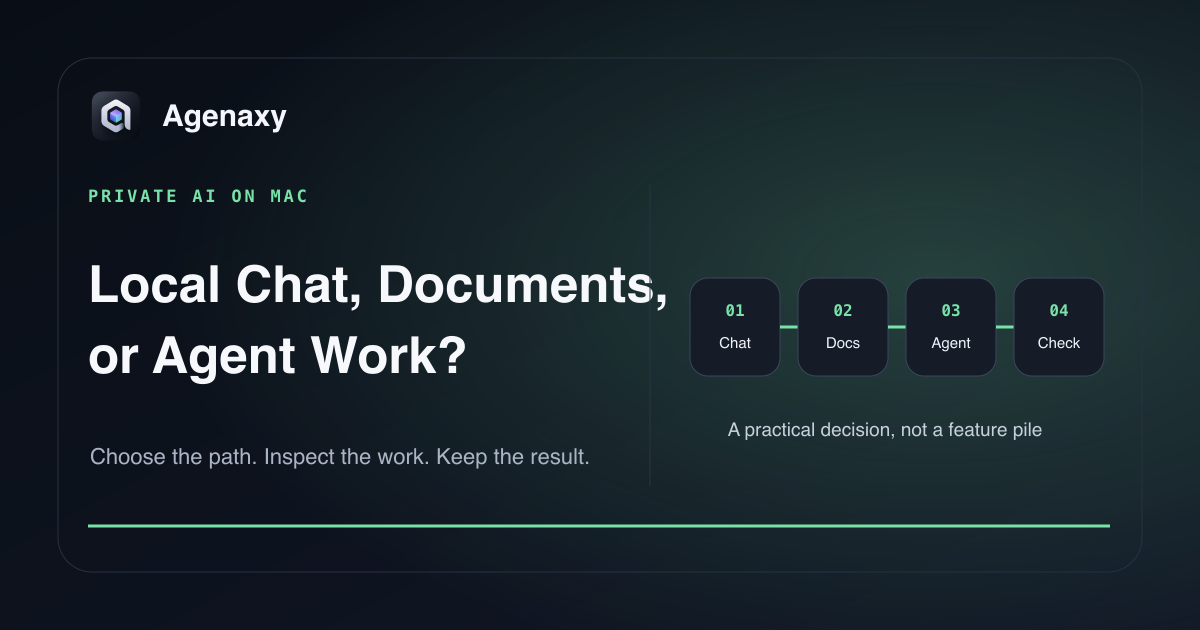
Quick answer: Choose LM Studio when you mainly want to download and chat with local models; AnythingLLM when you want an easy local document and knowledge assistant; and Agenaxy when you want an agent to work across selected files and produce reviewable Artifacts with model choice and Vault boundaries. “Private” still depends on the exact model, cloud features, tools, updates, and network paths you enable.
These products solve different jobs. This guide compares their official product contracts as of August 6, 2026 rather than pretending one is universally best.
The short comparison
| Product | Best for | Local model path | Main work product |
|---|---|---|---|
| LM Studio | Discovering, loading, and chatting with local models | Built in for supported GGUF and MLX models | Chats, document chat, local API |
| AnythingLLM Desktop | Local-first document knowledge and assistant features | Built in / supported local models | Document workspaces, chat, tools |
| Agenaxy | Multi-step work across selected files with reviewable output | Replaceable local or cloud model Connection | Artifacts, Activity, reusable workflows |
LM Studio: best for local model exploration
LM Studio is the direct choice when the main question is “which model can my Mac run?” Its desktop app supports downloading and loading compatible models, chatting, attaching documents, and exposing a local server.
LM Studio's official offline documentation says downloaded models, document chat, and the local server can run without internet, while model search, downloads, runtimes, and update checks require connectivity. Its June 2026 privacy policy also describes optional cloud services as a separate selected path.
Choose it when you want model control and a familiar chat surface. It is less focused on turning a multi-step file task into a durable workflow with Activity and several editable artifacts.
AnythingLLM Desktop: best for local document knowledge
AnythingLLM's official site positions Desktop as a one-click, local-by-default assistant with models, documents, and chat history stored on the machine. Its strengths are document knowledge, approachable setup, and assistant features without requiring the user to configure a separate developer toolchain.
Choose it when “ask questions across my documents” is the central job. Check any web search, integrations, dynamic model, or cloud feature separately; local-by-default does not mean every optional feature has the same data path.
Agenaxy: best for agent work on selected files
Agenaxy is for tasks that should produce a result outside chat: a change register, spreadsheet analysis, research brief, or reusable workflow. Files, instructions, Activity, and editable Artifacts live in a local workspace.
Standard can use a selected local or cloud model. In Vault, every model Connection must be explicitly authorized. Outbound-data tools are unavailable; agent-run tools and scripts stay inside approved files and folders and scripts are blocked from network access.
Choose it when the question is not only “can I chat privately?” but “can I let an agent do bounded work and inspect what it produced?”
Privacy questions to ask every Mac assistant
- Where does inference run? On this Mac or at a remote endpoint?
- What leaves the device? Prompts, file excerpts, embeddings, search queries, logs, or crash reports?
- Which optional features use the network? Downloads, web search, connectors, cloud models, or updates?
- What can tools access? One selected folder, broader filesystem, applications, or network services?
- Where do results and history live? Local files, an account, or both?
Run the test with network disconnected only after required models and runtimes are downloaded. Passing proves that tested path, not every feature in the app.
Match the model to the Mac
A private assistant is only useful if the selected local model fits. A 16GB Apple-silicon Mac is a practical starting point for many quantized 3B–8B models; more memory opens larger candidates and longer contexts. Do not fill all unified memory with weights and leave no room for macOS or context cache.
Use the Mac unified-memory guide before downloading a large model.
A fair three-product trial
Use a copied folder of public files and one outcome:
Create a one-page brief containing five findings, source anchors,
two contradictions, and unanswered questions. Do not modify the sources.
Record setup time, model used, network state, missed sources, wrong anchors, editing time, and where the finished artifact is stored. That comparison is more useful than counting features.
Where Agenaxy fits
Agenaxy occupies the step after local chat: an agent workbench for documents, datasets, and recurring workflows. It keeps the model replaceable and the work inspectable.
Read LM Studio vs Ollama for runtime choice or Open WebUI vs AnythingLLM for document-chat options.
Try a private file workflow
Describe a non-confidential Mac file task and desired artifact in Download Agenaxy. Do not submit files, credentials, customer records, or production data through the form.
FAQ
Can a Mac AI assistant be fully offline?
Yes for supported local inference paths after required software and weights are installed. Search, model downloads, updates, web tools, and cloud features can still require the network.
Is local document chat the same as an AI agent?
No. Document chat answers questions from supplied context. An agent can perform multiple steps, use tools, create files, and produce a separate artifact.
Which app is easiest?
Ease depends on the job. LM Studio is direct for loading models, AnythingLLM for document knowledge, and Agenaxy for bounded file work with artifacts.
Sources and Fact-Checking Notes
- LM Studio — Offline operation and privacy policy document local functions and the network/cloud exceptions.
- AnythingLLM Desktop documents its current one-click, local-by-default, no-account positioning and features.
- The category choices are editorial recommendations based on official contracts, not an undisclosed performance ranking.
- Agenaxy facts are checked against
agenaxy/apps/site/public/llms-full.txtand ADR-066; facts were checked August 6, 2026.