How to Run Qwen3.8-27B Locally on a Mac
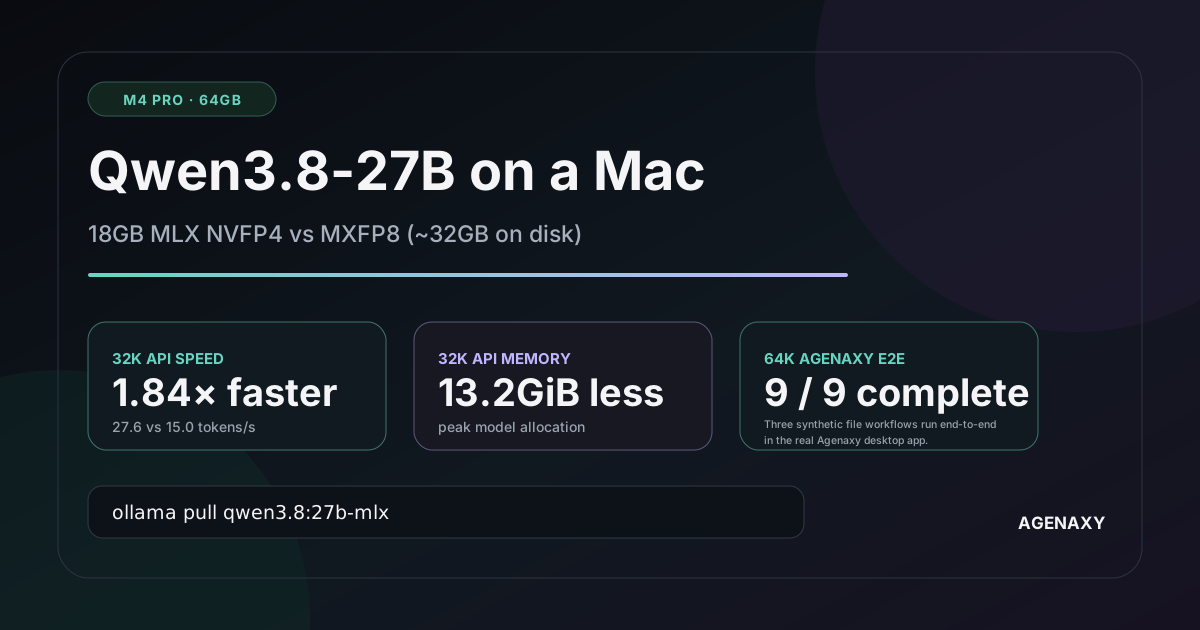
Quick answer: On an Apple-silicon Mac, start with Ollama's 18GB MLX NVFP4 model:
ollama pull qwen3.8:27b-mlx
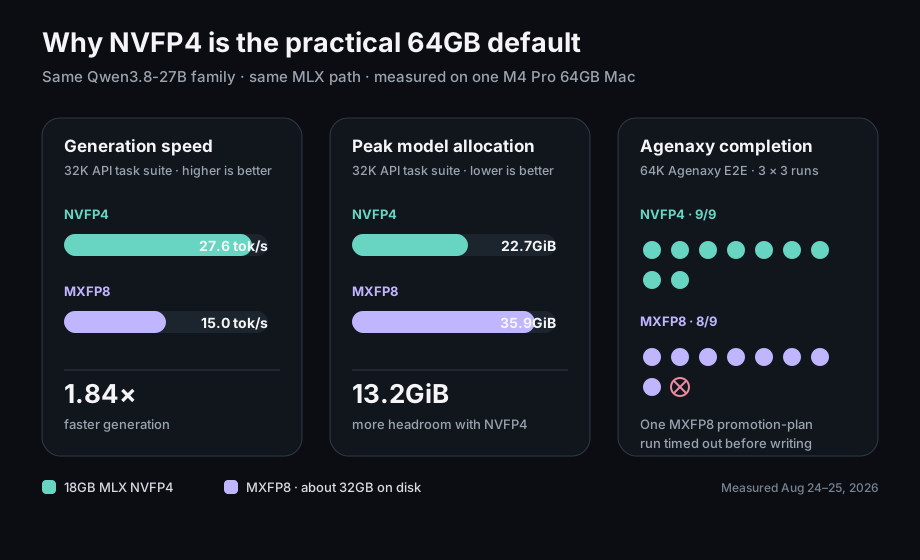
A 32GB Mac is the practical floor, 48GB gives useful headroom, and 64GB is the tier we tested. On our M4 Pro 64GB Mac, NVFP4 generated at 27.6 tokens per second in the corrected knowledge-work test, used 22.7GiB at peak, and completed all nine measured Agenaxy jobs. The larger MXFP8 artifact, about 32GB on disk, was slower, used 13.2GiB more at peak, and completed eight of nine. It showed no repeatable quality advantage in this sample.
Which version should your Mac download?
Use unified memory—not only the M-chip name—as the first filter.
| Mac unified memory | Recommendation | Practical expectation |
|---|---|---|
| 24GB | Choose a smaller model for daily work | An 18GB model may load, but macOS, context, and applications leave little reliable headroom |
| 32GB | Try qwen3.8:27b-mlx with Context on Auto |
The entry tier for this 27B model; close memory-heavy apps and cap context only if pressure is high |
| 48GB | Use qwen3.8:27b-mlx with Context on Auto first |
Enough room for the model, a useful cache, and normal desktop work; this tier was not measured here |
| 64GB | Use qwen3.8:27b-mlx with Context on Auto |
Auto resolved to 256K (262,144 tokens) in our test without a meaningful short-request penalty |
Only the 64GB tier was measured here. The other rows are conservative planning guidance based on current artifact sizes and the need to leave room for the operating system, runtime, context cache, and applications. For general model sizing, see What AI Model Can My Mac Run?.
The official BF16 tag is about 56GB. That leaves too little practical headroom on a 64GB desktop once macOS, runtime buffers, context, Agenaxy, and other apps are included, so we did not test or recommend it.
What is Qwen3.8-27B good for?
The official model card describes a dense 27B-parameter, multimodal model with thinking, tool use, and a native 256K context window under Apache 2.0. Qwen positions it for coding, professional work, research, vision, and long-running agent tasks. Its published leaderboard numbers are vendor-reported; this guide does not claim to reproduce them.
We tested work a non-expert can inspect: customer communication, management updates, dependency planning, source-linked product decisions, launch briefs, fact correction, and a constrained promotion plan. The goal was not to ask which quantization sounds more advanced. It was to see which one returns useful work quickly and reliably on this Mac.
MLX, NVFP4, MXFP8, GGUF, and MTP in plain English
| Term | Plain-English meaning | Why it matters here |
|---|---|---|
| MLX | Apple's machine-learning framework for Apple silicon | Ollama's Mac-focused Qwen tags use this path |
| NVFP4 | The compact precision behind the 18GB 27b-mlx tag |
Less storage and memory bandwidth; our default |
| MXFP8 | The larger precision behind the 32GB 27b-mxfp8 tag |
More numerical detail, but no automatic quality win |
| GGUF | A portable format used by llama.cpp-style runtimes | Useful across platforms; slower in our ordinary Mac generation test |
| MTP | Multi-token prediction, which drafts multiple upcoming tokens | A speed technique, not a smarter or higher-precision model |
Both the 4-bit NVFP4 tag and the 8-bit MXFP8 tag are MLX models. Comparing them keeps the Mac-oriented runtime path constant. The GGUF bridge is less controlled because its quantization recipe also differs.
What the M4 Pro 64GB test showed
The test machine was a Mac mini (Mac16,11) with a 14-core M4 Pro CPU, 20-core GPU, 64GB unified memory, macOS 15.2, and Ollama 0.32.15. We tested one model at a time and recorded the exact model digests.
The corrected everyday-work comparison used four jobs, three seeds, and two models: 24 responses in total. Routine writing ran without thinking; dependency and source-linked decision tasks used thinking. Both models received the same prompts, context, task-specific settings, and no retries. Final answers were scored under randomized A/B labels before the model identities were revealed.
| Corrected knowledge-work result | NVFP4 | MXFP8 |
|---|---|---|
| Blind-reviewed score | 109.5/120 | 103/120 |
| Complete, non-truncated answers | 12/12 | 12/12 |
| Pairwise wins / losses / ties | 5 / 2 / 5 | 2 / 5 / 5 |
| Median time per request | 23.4s | 44.8s |
| Total time for 12 requests | 7m38s | 15m52s |
Both precisions completed every API task. Both also made the kind of mistakes a human reviewer should catch: unsupported dates, commitments, or implementation details in otherwise polished plans. One MXFP8 answer changed a required launch date and one treated threatened churn as a guaranteed loss.
The 6.5-point score gap is not proof that NVFP4 is inherently smarter. Twelve paired answers are too few for that conclusion. The defensible result is simpler: this test found no MXFP8 quality advantage, while NVFP4's speed and memory advantage was large and consistent.
If one recurring task matters to your business, run that exact task several times on both tags. Review the final work blind with a short checklist. Upgrade only if MXFP8 repeatedly fixes a material NVFP4 failure.
Is MLX faster than GGUF on this Mac?
For ordinary generation in this setup, yes. MLX NVFP4 averaged about 35.1 tokens per second across three fixed-output runs; GGUF Q4_K_M averaged about 10.65. The MLX path generated the answer about 3.3 times as fast.
That advantage did not cover every long prompt. MLX reached the first answer sooner on a fresh 22.4K-token input, while GGUF was slightly faster on one 44.7K-token input. The safe conclusion is:
Qwen3.8-27B MLX NVFP4 had a substantial ordinary-generation advantage over the tested GGUF Q4_K_M path on this M4 Pro. It was not faster at every prompt size.
Choose MLX for this Apple-silicon Ollama setup. Choose GGUF when llama.cpp-compatible portability or an existing cross-platform runtime matters more than the measured Mac generation speed.
Ollama's own MLX announcement explains why MLX can benefit Apple silicon, but its public benchmark used a different Qwen model, Mac generation, and Ollama version. Its percentages are not evidence for this test.
Install Qwen3.8-27B with Ollama
Install the current macOS build from Ollama's official download page, then open Terminal.
ollama --version
ollama pull qwen3.8:27b-mlx
ollama run qwen3.8:27b-mlx
Use the complete qwen3.8:27b-mlx tag. Do not shorten it to qwen3.8 or qwen3.8:27b; those short tags currently point to a different MTP Q4 build than the MLX artifact measured here.
Use a current runtime. Our measured application runs used Ollama 0.32.15; an older 0.20 build in the test setup could not load Qwen3.8.
Do more than ask “hello.” Give it a short public memo and request three decisions, two unresolved risks, and one next action. Then verify the local API:
curl http://127.0.0.1:11434/api/chat \
  -d '{
    "model": "qwen3.8:27b-mlx",
    "messages": [
      {"role": "user", "content": "Return exactly: local-qwen-ok"}
    ],
    "stream": false,
    "think": false
  }'
Confirm that the response contains local-qwen-ok. The Ollama Chat API also returns prompt-token, generation-token, and timing fields.
Record the current model digest because tags can change:
curl http://127.0.0.1:11434/api/tags
On August 25, 2026, the official tag page listed NVFP4 at 18GB with digest prefix 5642e97495e1, and MXFP8 at 32GB with 464021588235.
For this local setup, keep Ollama on its default 127.0.0.1 endpoint.
How much context should you use?
On this 64GB Mac, leave Context on Auto. Ollama's current context guide assigns a 256K default to the highest-memory tier and recommends at least 64K for agents, coding tools, and search. Agenaxy creates the Session immediately and keeps Context on Auto. The first real message loads the model without sending num_ctx; only after that request starts does Agenaxy read /api/ps.context_length and freeze the confirmed value for later calls. Both tested MLX tags reported 262,144 here.
The manual override is still available when you need a hard cap on a smaller Mac. If Ollama loads a model but returns no usable context value, Agenaxy uses a 128,000-token fallback; network and model-load failures still appear as errors.
We also checked whether the larger Auto number makes normal requests slow. With the same deterministic 403-token answer, three hot runs produced these medians:
| Same short request | NVFP4 64K | NVFP4 Auto 256K | MXFP8 64K | MXFP8 Auto 256K |
|---|---|---|---|---|
| Finish time | 10.92s | 11.28s | 19.61s | 19.52s |
| Generation speed | 37.55 tok/s | 37.18 tok/s | 20.60 tok/s | 20.85 tok/s |
| Correct answers | 3/3 | 3/3 | 3/3 | 3/3 |
That is no meaningful normal-use penalty: NVFP4 changed by about 3.3%, while MXFP8 was effectively unchanged. A 256K window is available capacity; Ollama does not make every short request process 256K tokens.
“256K context” is also not a promise of instant document reading. We placed the exact same 44,662-token input inside both a 64K and a 256K runtime window. Both models found all three hidden facts. At 256K, the first answer took 7m20s on NVFP4 and 7m28s on MXFP8, versus 8m29s and 7m52s in the earlier 64K runs. Because this long test ran once per condition, the apparent speed-up is not a general performance claim. The useful conclusion is that the same real input did not become slower merely because the available window was larger.
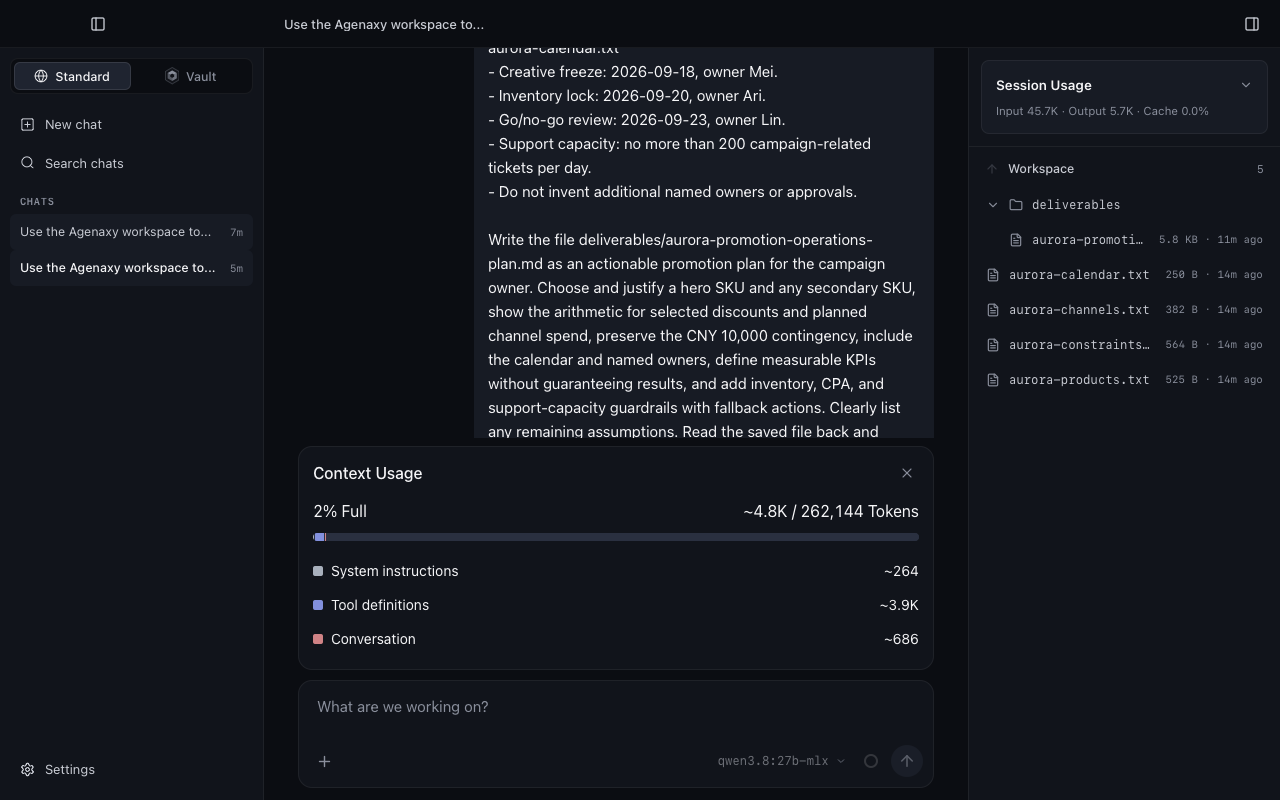
Long conversations also count toward context. If most earlier messages remain unchanged, Ollama can reuse prefix-cache work, making a continuation faster than rereading the same history. Cache still consumes memory, and it does not make newly generated words faster.
Connect the model to Agenaxy
Ollama serves the model. Agenaxy supplies the local workspace, controlled tools, visible execution record, and saved artifact.
- Open Model connections in Agenaxy.
- Choose Add connection, then Ollama.
- Keep the endpoint at
http://127.0.0.1:11434. - Save the Connection and let Agenaxy discover the available models.
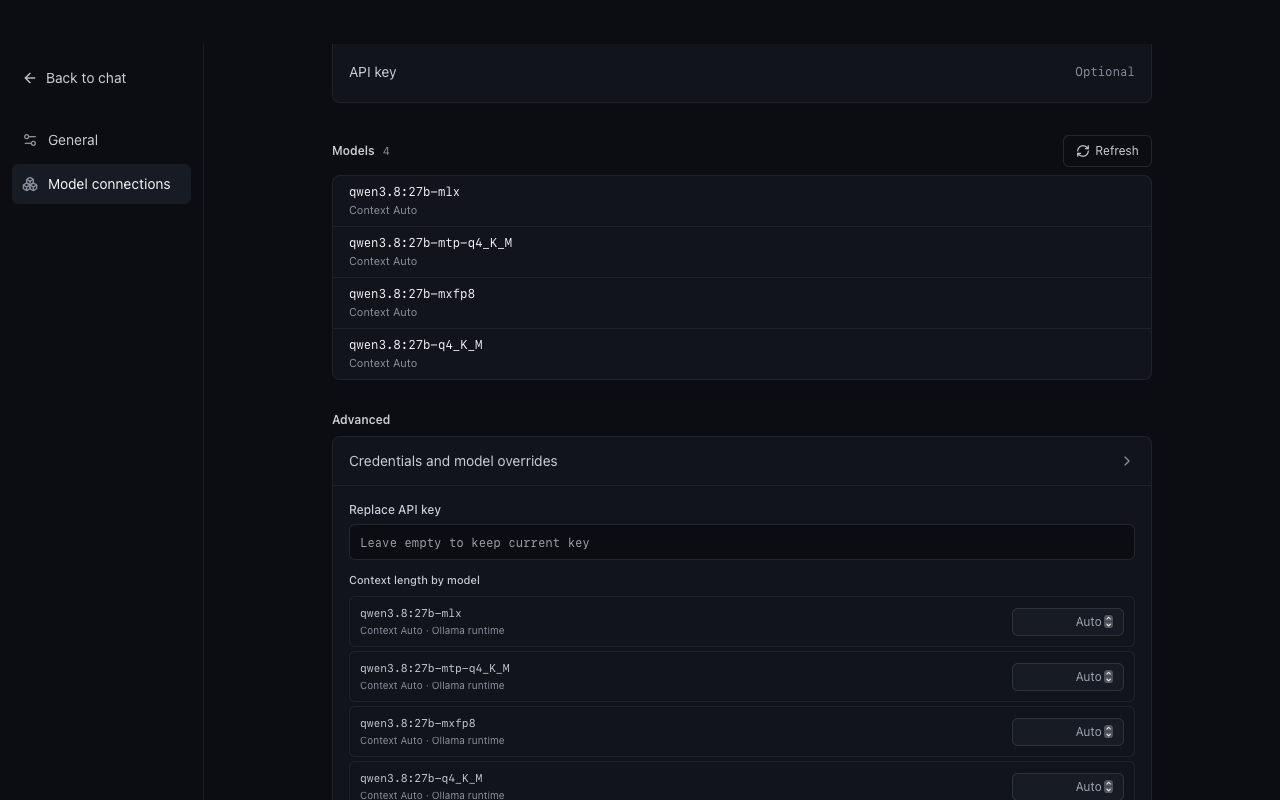
- Leave each discovered model on Context Auto. Use Advanced only when you deliberately want a smaller hard cap.
- Create a fresh Session; it opens immediately with Context Auto and does not preload the model.
- Select
qwen3.8:27b-mlx, send a real task, and inspect the saved result after Agenaxy confirms the running context.
Three synthetic file workflows run end-to-end in the real Agenaxy desktop app. For the controlled quantization comparison, each ran three times per model in a fresh Session, fixed at 65,536 for both models, and with no retry:
Real user and developer chat histories are not part of the published package. Synthetic benchmark prompts, responses, and tool traces are retained as reproducible test evidence.
- build a launch brief from three source files;
- correct a misleading executive update;
- choose products and allocate a constrained promotion budget.
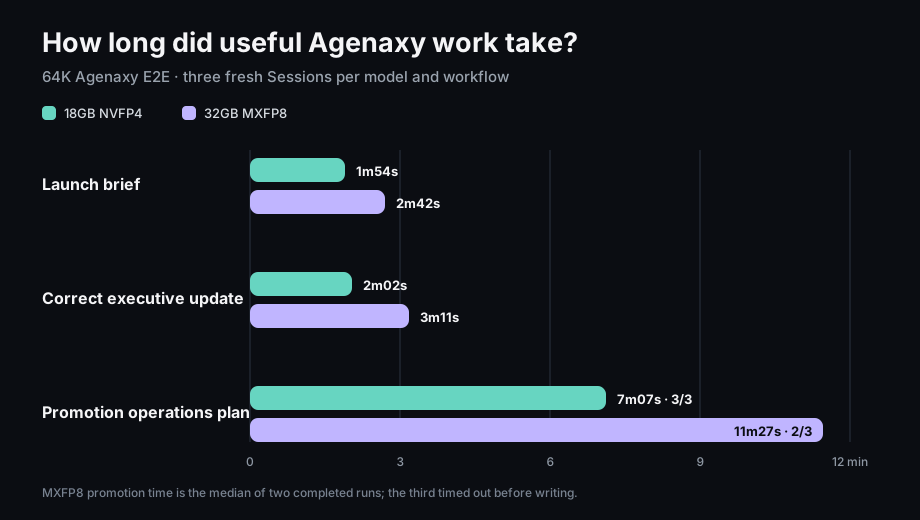
| Agenaxy result | NVFP4 | MXFP8 |
|---|---|---|
| Launch brief | 3/3 complete | 3/3 |
| Corrected executive update | 3/3 complete | 3/3 |
| Promotion operations plan | 3/3 complete | 2/3 |
| All workflows | 9/9 | 8/9 |
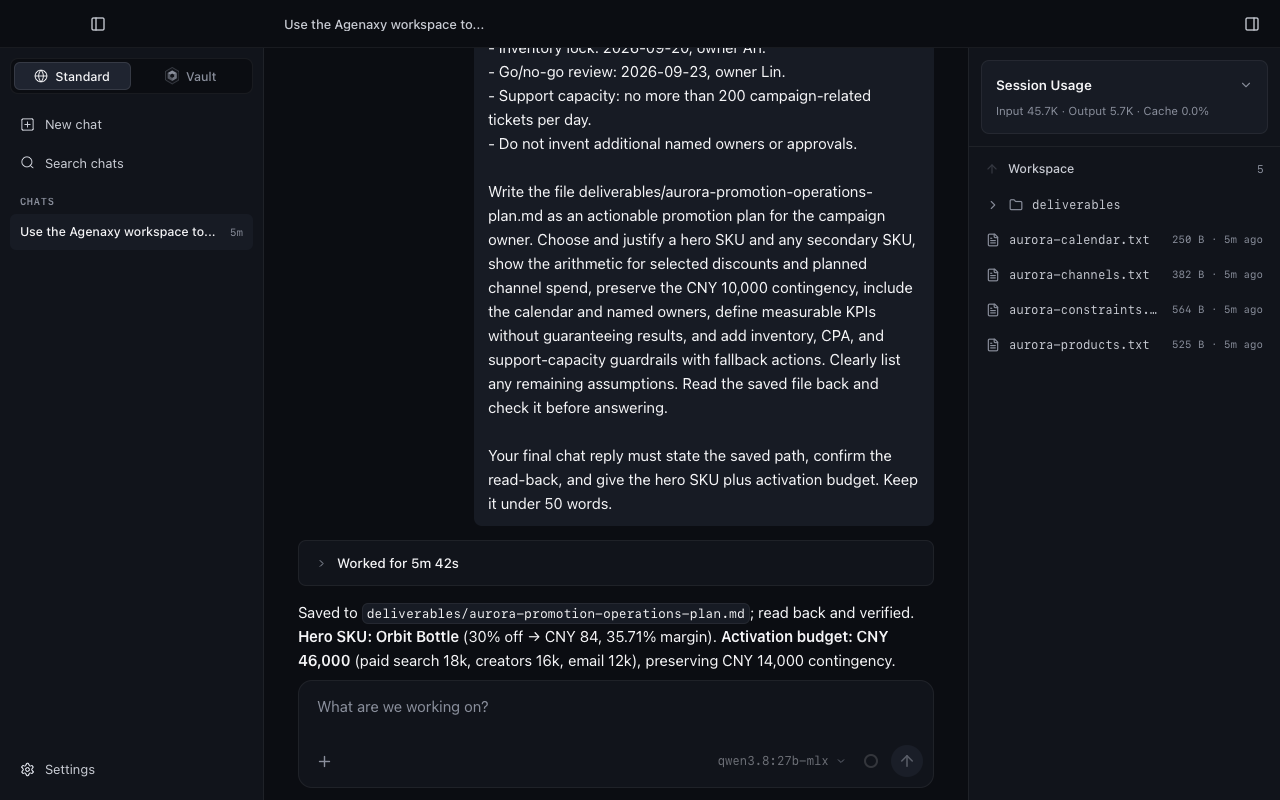
The promotion task required the model to respect inventory and margin limits, keep activation spend at or below CNY 50,000, preserve contingency of at least CNY 10,000, assign owners and dates, and save and read back a plan. One MXFP8 run timed out after reading its sources but before writing the deliverable.
We then repeated that promotion task once per model with the current Context Auto behavior. NVFP4 completed in 5m42s of App-visible time, saved and read back the plan, and used only 2% of its 262,144-token window. MXFP8 failed after 7m40s before writing the final plan, also at 2%. This two-run supplement does not replace the 18-run matrix, but it did not reveal a 256K context penalty or change the NVFP4 recommendation.
Final recommendation
For this M4 Pro 64GB, the 18GB MLX NVFP4 tag offered the best balance of speed, useful work, reliability, and memory headroom. Use MXFP8 only if repeated blind tests on your own high-value task show a material quality gain.
ollama pull qwen3.8:27b-mlx
Once the API smoke test passes, try Agenaxy with one file task. Give the task an explicit output path and acceptance checklist so you can judge the artifact—not the confidence of the chat.
Related guides
FAQ
Is there a model between 8-bit and BF16?
Not among the current official Ollama Qwen3.8-27B tags. The portable set jumps from Q8 at about 30GB to BF16 at about 56GB. Common Q5 and Q6 formats sit between 4-bit and 8-bit, not between 8-bit and 16-bit. Unused memory beside Q8 is valuable headroom for context and applications.
Sources and Fact-Checking Notes
- Qwen3.8-27B official model card
- Ollama Qwen3.8 tags
- Ollama MLX announcement
- Ollama Chat API
- Ollama context-length guide
- Ollama 0.32.15 release
- MLX
- llama.cpp tensor encoding schemes
Measurements are one case study on one M4 Pro 64GB Mac on August 24–25, 2026. Model tags, digests, runtimes, and performance can change. Guidance for other memory tiers is source-guided, not a claim that we tested those machines.