What Work Should You Automate With AI? 20 Practical Examples
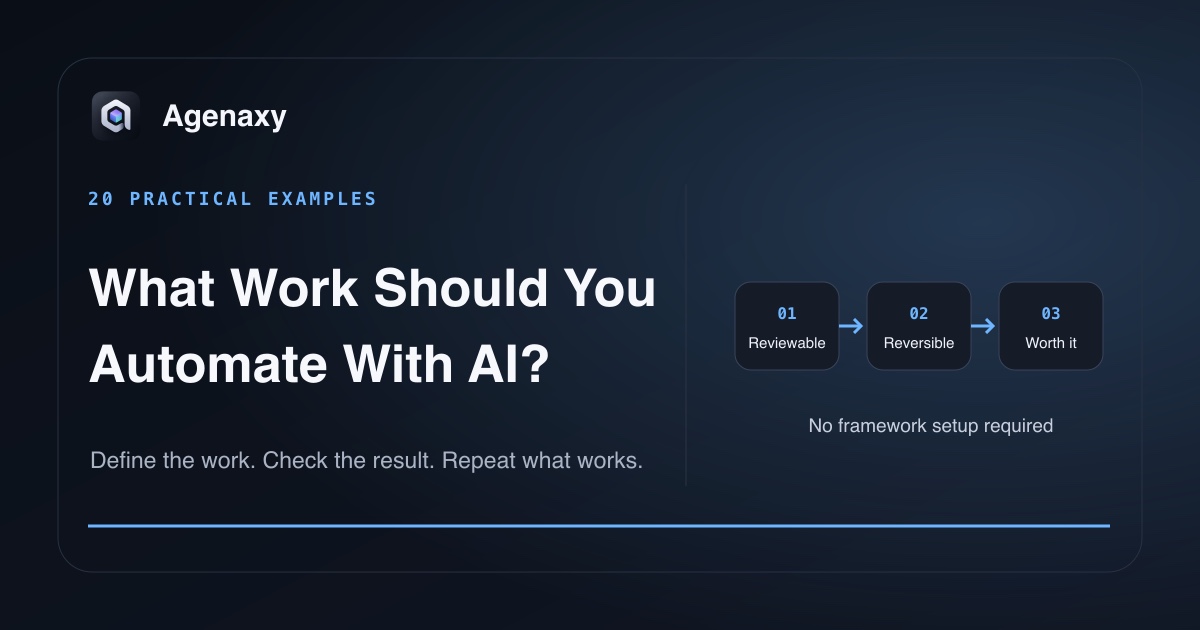
Quick answer: Start with work that repeats, uses identifiable sources, produces a named draft or analysis, and can be checked before anything irreversible happens. Do not start with the task that sounds most impressive. Start with the task where a mistake is visible and recoverable.
Use this editorial screening checklist
This is a practical Agenaxy editorial framework, not a validated risk score.
First apply four hard gates. The first version must:
- be reviewable by a person who understands the work;
- leave any high-consequence final decision with that person;
- avoid irreversible or external actions such as sending, publishing, deleting, buying, or approving;
- keep sensitive context out of unapproved model and tool paths.
Other strengths cannot cancel a failed hard gate.
Then assess three fit signals:
- Does the work recur with similar inputs?
- Can you name the source files or records?
- Can you specify the output format?
All three make a stronger candidate for a reusable automation or agent workflow. A one-off task can still benefit from AI assistance when it passes the hard gates. Missing sources or an undefined output usually means the task should be narrowed before an agent test. Finally, compare likely time saved with preparation, review, and repair cost.
Documents and research
| # | Candidate work | Input | Artifact | Review | First-version boundary |
|---|---|---|---|---|---|
| 1 | Meeting action register | Notes or transcripts | Actions, owners, dates, sources | Sample rows against notes | Draft only; do not assign people |
| 2 | Policy comparison | Old and new policies | Section-by-section change table | Confirm important changes | Do not approve policy |
| 3 | Contract issue list | Selected contracts and checklist | Cited clauses and questions | Lawyer or owner decides | No legal conclusion |
| 4 | Research brief | Reports and saved articles | Source-linked summary | Open citations and check claims | No unsupported publishing |
| 5 | FAQ draft | Support tickets and product docs | Questions, draft answers, gaps | Product owner approves language | Do not publish or reply |
These work well when the output keeps source references. A fluent paragraph without traceable evidence is harder to verify.
Operations and administration
| # | Candidate work | Input | Artifact | Review | First-version boundary |
|---|---|---|---|---|---|
| 6 | Invoice extraction | Invoice copies | Structured rows plus exceptions | Reconcile sampled totals | Do not post or pay |
| 7 | Vendor renewal tracker | Agreements and notices | Dates, terms, owner, source | Confirm dates in contracts | Do not renew or cancel |
| 8 | File inventory | One project folder | Proposed index and naming plan | Approve before renaming | Do not move originals |
| 9 | Weekly issue brief | Support exports | Themes, counts, quotes, gaps | Reconcile counts and sources | Do not contact customers |
| 10 | Handoff checklist | Project notes and status files | Open items, owners, dependencies | Project owner corrects omissions | Do not change project state |
For the first version, produce a proposed change rather than performing a bulk move, rename, email, or status update.
Data and analysis
| # | Candidate work | Input | Artifact | Review | First-version boundary |
|---|---|---|---|---|---|
| 11 | CSV cleanup review | Raw export and field rules | Clean copy plus rejected rows | Compare counts before/after | Preserve raw export |
| 12 | Exception report | Transactions and thresholds | Flagged rows with reasons | Analyst checks formulas | Do not resolve transactions |
| 13 | Survey synthesis | Responses and question list | Themes, counts, quotes | Verify counts and examples | Remove unnecessary identifiers |
| 14 | Reconciliation draft | Two related exports | Matched, unmatched, difference | Owner signs off totals | Do not post adjustments |
| 15 | Metric commentary | Approved metric table | Draft narrative and questions | Analyst verifies interpretation | Do not distribute automatically |
Use deterministic calculations for totals where possible. Let the model explain or classify; do not ask prose to substitute for arithmetic you can compute and test.
Writing and recurring communication
| # | Candidate work | Input | Artifact | Review | First-version boundary |
|---|---|---|---|---|---|
| 16 | Status update draft | Work logs and issue list | Progress, risks, next steps | Owner edits before sending | Do not send |
| 17 | Client briefing draft | Approved sources and template | Brief with citations | Account owner approves | Do not share externally |
| 18 | Content outline | Research notes and audience brief | Structured outline and evidence gaps | Editor chooses angle | Do not publish |
| 19 | Release-note draft | Merged changes and issue references | User-facing draft | Product and engineering verify | Do not release |
| 20 | Interview synthesis | Notes from several interviews | Themes, evidence, contradictions | Researcher checks quotes | Protect participant identity |
The reusable unit is not “write something.” It is a defined source set, output structure, and review step.
Choose automation, AI assistance, or an agent
Use a fixed automation when the rules are stable and every step is known, such as copying a value between systems.
Use AI assistance when a person wants a draft, classification, or answer but will direct each step.
Use an agent when the work requires choosing among steps or tools, inspecting intermediate results, and producing an artifact across several sources.
Anthropic recommends using the simplest solution that works. Adding an agent loop to a predictable rule can make the process harder to understand without improving the result.
Apply that choice to the task, not the topic label:
| Same task | Fixed automation | AI assistance | Agent |
|---|---|---|---|
| Invoice extraction | Stable form and deterministic fields | Person supplies an unusual invoice for one-off help | Inspect mixed files, validate totals, and create an exception artifact |
| Weekly issue brief | Calculate known counts from a stable export | Person selects data and asks for a draft interpretation | Inspect several exports, reconcile counts, gather quotes, and flag gaps |
| Status update | Fill a template from known fields | Person provides notes and asks for wording | Gather approved sources, identify missing status, and produce a reviewable draft |
Start with the leftmost approach that can produce the required result. Move right only when the task actually needs judgment across steps or tools.
Tasks to leave human-led
Do not delegate the final decision when the work includes:
- hiring, firing, credit, eligibility, legal conclusions, or medical decisions;
- approval that nobody will independently review;
- ambiguous goals where success cannot be defined;
- missing or inaccessible source material;
- destructive changes without recovery;
- sensitive data sent through an unapproved model or tool path.
AI may help prepare evidence or a draft, but the accountable decision remains separate.
Turn one example into a work order
For any candidate, fill in:
Input: Which selected files or records?
Output: Which named artifact and fields?
Rules: What must be sourced, calculated, or marked unclear?
Boundary: What may the agent read, write, or connect to?
Review: Which checks must pass?
Side effects: None in the first run.
Then test it twice with the first-workflow baseline.
Where Agenaxy fits
Agenaxy is a local-first AI agent workbench for turning selected files into editable, reviewable Artifacts. Activity shows the steps and tools used during the run.
Standard can use a selected local or cloud model; a cloud model receives the context sent to it. In Vault, every model Connection must be explicitly authorized. An authorized remote model still receives its task context, while outbound-data tools remain unavailable and agent-run scripts are blocked from network access.
Try one candidate
Describe one non-confidential candidate in Download Agenaxy: recurring input, named artifact, and human check. Do not submit files, credentials, customer records, or production data through the form.
FAQ
Should I automate the task that takes the most time?
Not necessarily. High effort matters, but poor inputs, hidden errors, high consequences, or expensive review can make it a weak first candidate.
Is drafting an email AI automation?
It can be AI assistance. It becomes a broader workflow when the system gathers sources, creates the draft, checks rules, and prepares it for review. Sending should remain a separate action until that path is explicitly tested.
How do I estimate whether an AI workflow saves time?
Measure preparation, run, review, and repair time—not just generation time. Compare that total with the original task over more than one representative run.
Can sensitive work be automated with AI?
Possibly, but the data path, access, tools, model, and review must fit the sensitivity. “Private” is not established by a label alone.
Sources and Fact-Checking Notes
- Anthropic — Building effective agents recommends simple, composable patterns and distinguishes fixed workflows from model-directed agents.
- NIST AI RMF Core includes defined scope, human oversight, and documented risk responses among its outcomes.
- Agenaxy product statements are checked against current Standard and Vault canon.