How to Test Your First AI Agent Workflow: One Folder, Two Runs
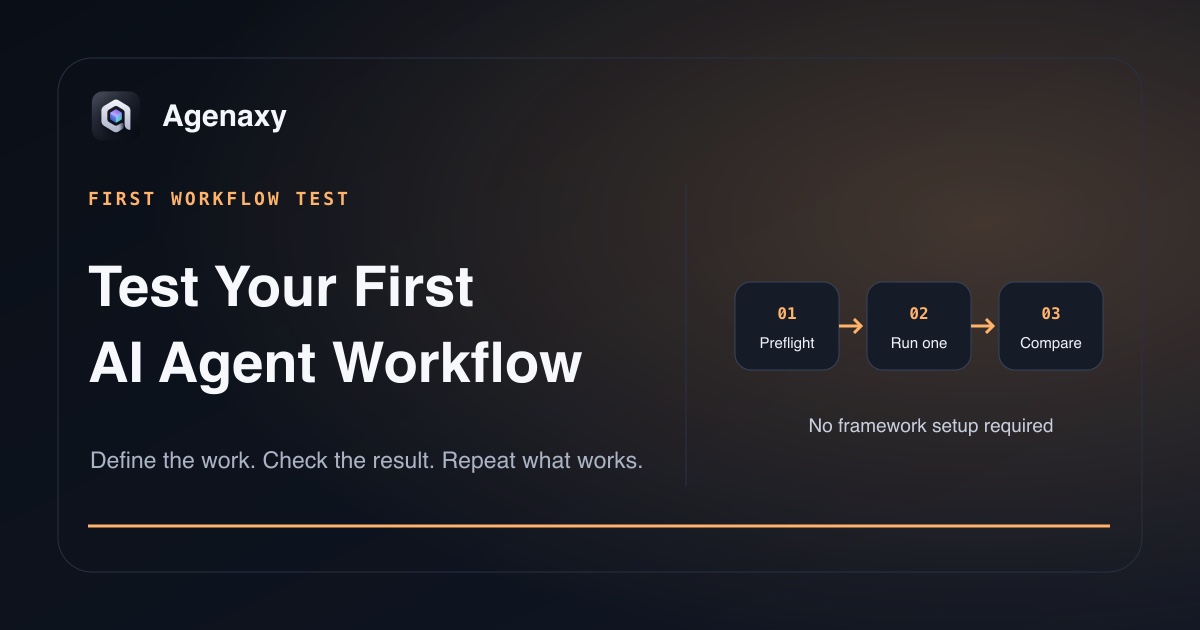
Quick answer: Treat your first agent task as a controlled baseline. Record the folder, model, allowed tools, expected artifact, and pass threshold before the run. Afterward, record what actually happened. Repeat the same task on a second input set and compare the two runs before expanding access.
This guide is a working record, not another list of agent ideas. If you still need to choose a task, start with the no-code getting-started guide. Return here when you have one folder and one result in mind.
Preflight: write down the setup
Complete this before pressing Run:
| Field | Your answer |
|---|---|
| Working folder | Exact folder name and why these files belong |
| Input snapshot | File count, formats, and date copied |
| Model | Exact local model or remote provider/model |
| Model data path | Local inference, approved server, or cloud provider |
| Allowed tools | File reader, spreadsheet, script, or other enabled tools |
| Network use | What is expected to connect, how you can observe it, or Unknown / not exposed |
| Output artifact | Exact filename and required sections or columns |
| External actions | None for the first baseline |
| Stop condition | The ambiguity or failure that must pause the run |
| Pass threshold | The checks that must succeed |
This record prevents a common mistake: changing the model, files, tools, and instruction together, then not knowing why the result changed.
Putting files in one folder does not prove that every agent product is technically limited to that folder. Record both the working folder and the access the app actually requests.
Use a compact task card
The task card should fit on one screen:
Goal:
Create invoice-exceptions.csv from the selected invoice copies.

Output columns:
Source file, invoice number, date, supplier, subtotal, tax,
total, and exception.

Rules:
- Leave source files unchanged.
- Do not invent unreadable or missing values.
- Put missing fields in exception.
- Do not send, upload, rename, or delete anything.

Stop when:
A file cannot be read or subtotal + tax does not match total.

Done when:
Every selected file is represented by one row.
Microsoft's prompt guidance names goal, context, expectations, and source. The run record adds execution-specific facts: file access, model path, tools, stop condition, and pass threshold.
Record run one
Do not rely on memory. Fill this out when the run ends:
| Run-one evidence | Record |
|---|---|
| Started / finished | Time and duration |
| Files attempted | Count and names |
| Files successfully read | Count and any failures |
| Tools used | Exact tools or scripts shown in Activity |
| Questions asked | What caused the agent to pause |
| Network behavior | Expected connections, unexpected ones, or Unknown / not exposed |
| Artifact created | Filename, format, and location |
| Source changes | Confirm none, or record every change |
| Errors / blocked steps | Exact message, not a paraphrase |
| Model and settings | Preserve enough detail to repeat |
The record is more useful than “the answer looked good.” It separates an instruction problem from a file-access problem, tool failure, weak model, or incomplete input. If the product does not expose a network path, record Unknown / not exposed. Not seeing a connection is not proof that none occurred.
Set a pass threshold you can count
Avoid “looks right.” For the invoice example, a first pass might require:
- every input file produces one row;
- five sampled rows match source values exactly;
- all unreadable values are flagged rather than guessed;
- no source file changes;
- no unexpected tool action; network behavior passes only when the relevant path is observable;
- the CSV opens with the requested columns.
Choose a threshold appropriate to the job. A draft outline and a finance reconciliation should not share the same standard. The threshold is a decision rule for this test, not proof that all future runs will be correct.
At the end, mark:
- Pass: every required check succeeded;
- Revise: the workflow is viable, but one named issue needs a controlled change;
- Fail: the result cannot be trusted or the run exceeded its intended boundary.
Diagnose by symptom
| What you observe | Check first | Change one thing |
|---|---|---|
| A file was skipped | Access, format, or parsing error | Fix the input or reader |
| Values were invented | Whether the existing exception rule was followed | Add a verifiable check or change the model |
| Output shape changed | Required schema and example | Tighten the artifact contract |
| Correct facts, weak writing | Model fit or style example | Change model or add one example |
| Tool failed | Tool log and input compatibility | Fix the tool path, not the prose |
| Unexpected connection | Model/tool data path | Stop and correct the boundary |
| Original changed | Write permissions and task wording | Restore copy; require new artifact |
| Run stopped on ambiguity | Stop rule worked | Answer, then resume or rerun |
Do not add a page of instructions when the actual problem is an unreadable PDF or missing file permission.
Run the same test a second time
Prepare a second copied folder with the same kind of work. Keep the task card, output schema, model, and allowed tools unchanged.
| Comparison | Run one | Run two |
|---|---|---|
| Input count | ||
| Files read successfully | ||
| Pass checks succeeded | ||
| Exceptions correctly flagged | ||
| Unexpected actions | ||
| Review time | ||
| Final decision | Pass / Revise / Fail | Pass / Revise / Fail |
If both runs pass, you have early evidence that the work order is repeatable. If only one passes, compare the inputs and run records before changing the instruction.
Decide what happens next
After two runs:
- Keep it manual if review costs more than the work saved.
- Revise one variable if the failure has a specific, testable cause.
- Repeat again if the second input exposed a new but manageable case.
- Expand scope slowly only after the same boundary and pass check hold.
- Stop using the workflow if it needs access or judgment the benefit does not justify.
Do not add email sending, publishing, bulk file changes, or schedules merely because the file-to-artifact baseline passed. Those introduce different failure outcomes and need their own decision.
Record the data boundary too
A cloud model receives the task context sent to it. A local model keeps inference on the machine, while file tools, telemetry, and supporting services can create other data paths. Your run record should therefore name the model and tools, not just say “desktop” or “local.”
On macOS, App Sandbox limits access outside an app's own container and can use OS-mediated access for files or folders a user selects. The exact access still depends on the app and permission granted.
Where Agenaxy fits
Agenaxy is a local-first AI agent workbench for file-based assignments. You choose source files, inspect Activity, and receive editable Artifacts while originals remain untouched—so the run record can refer to visible steps and a real output.
Standard can use a selected local or cloud model. In Vault, each model Connection must be explicitly authorized; an authorized remote model still receives the context sent to it. Outbound-data tools remain unavailable, and agent-run scripts are blocked from network access.
See what an agent can do on your computer for the wider capability map.
Try a repeatable baseline
Describe one non-confidential baseline in Download Agenaxy: folder type, artifact, and pass threshold. Do not submit files, credentials, customer records, or production data through the form.
FAQ
Why run the same task twice?
The second input tests whether the workflow depends on one unusually easy example. It also gives you a comparison without changing several variables at once.
How many files belong in the first folder?
Use enough to represent the work but few enough to inspect manually. File complexity matters more than a universal count.
What should I save from a successful run?
Save the task card, model and tool details, pass threshold, run record, and reviewed artifact. Do not save credentials inside the instruction.
Is a pass threshold the same as an AI evaluation benchmark?
No. It is a practical acceptance rule for one workflow. A broader evaluation requires more representative cases and repeated measurement.
Sources and Fact-Checking Notes
- Microsoft — Get started writing prompts in Microsoft 365 Copilot documents goal, context, expectations, and source as prompt elements.
- NIST AI RMF Core includes defined scope and human oversight among risk-management outcomes.
- Apple — Accessing files from the macOS App Sandbox documents OS-mediated access to user-selected files outside an app's own container.
- Agenaxy product statements are checked against current Standard and Vault canon.